Front Page News

Posts in this category appear on the front page.

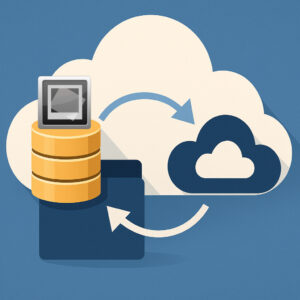
A graphic symbolizing synchronizing IMatch databases with cloud storage.

Automatically Synchronize Your IMatch Database with Cloud Storage

Automatically Synchronize Your IMatch Database with Cloud Storage Photographers—both professional and amateur—rely on IMatch as a powerful Digital Asset Management (DAM) system to organize, search, and protect their image archives. Because IMatch uses a high‑performance object‑relational database, it performs thousands of read and write operations every second. This ensures excellent performance but also means the […]

Automatically Synchronize Your IMatch Database with Cloud Storage Read More »

File Naming Conventions – Made Easy With IMatch’s Unique Renamer

File Naming Conventions Made Easy with the IMatch Renamer File naming conventions help you keep images and other digital assets consistent and easier to find, sort, share, and archive. That matters for professional workflows with clients and teams, but it also pays off for hobby photographers, scientists, and librarians. This post is not about “the

File Naming Conventions – Made Easy With IMatch’s Unique Renamer Read More »

Favorites Textart.

Quickly Access Your Favorite Applications and Features with IMatch Favorites

IMatch Favorites are a powerful tool for streamlining your workflow. What IMatch Favorites Do With Favorites, you can: You can assign keyboard shortcuts to your Favorites, allowing you to execute them from anywhere. The Command Palette provides direct access to your Favorites, even when the Favorites Panel is not open. Add Favorites to the File

Quickly Access Your Favorite Applications and Features with IMatch Favorites Read More »

The default icon for Automation Favorites.

How IMatch Automation Favorites Turn Routine Tasks into Routines

IMatch’s Favorites are your secret weapon for efficiency—they’re not just shortcuts, but workflow accelerators. At their core, they let you execute repetitive tasks with a single click or keyboard shortcut from anywhere in the app. Think of them as customizable “macros” tailored to your daily grind: assign categories, move files between folders, open external apps,

How IMatch Automation Favorites Turn Routine Tasks into Routines Read More »

IMatch Notepad Start Page.

IMatch Notepad: Track Settings, Instructions & Tips Within IMatch

IMatch Notepad: Track Settings, Instructions & Tips Within IMatch IMatch is known for its powerful organization capabilities, but did you know there’s a built-in tool that can significantly enhance your workflow? Introducing IMatch Notepad, a handy application designed to keep your notes, settings, and tips right at your fingertips within the IMatch environment. This isn’t

IMatch Notepad: Track Settings, Instructions & Tips Within IMatch Read More »

IMatch File Finder App icon.

How IMatch’s File Finder App Addresses Complex Search Needs

In today’s digital landscape, efficiently managing extensive collections of files can be quite challenging. While IMatch offers robust built-in search functionalities, certain complex or atypical search needs call for more specialized solutions. That’s when the IMatch File Finder App comes into play. Running the File Finder App As usual, you can start the File Finder

How IMatch’s File Finder App Addresses Complex Search Needs Read More »