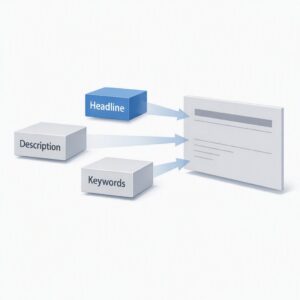
A graphic representing a category-based workflow in IMatch

Streamlining Your Workflow with IMatch Categories: A Step-by-Step Guide.

Are you looking for a way to track your files along your workflow using IMatch categories? In this article, we’ll show you how to setup a simple yet effective workflow using categories, assignment action, color-coding and favorites. Setting Up Workflow Categories To get started, switch to the Category View and create a new top-level category […]

Streamlining Your Workflow with IMatch Categories: A Step-by-Step Guide. Read More »

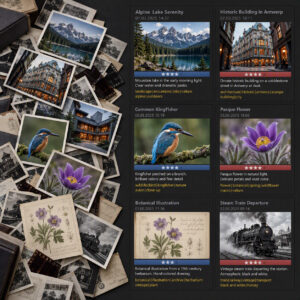
This image shows a "sea of images" in order to demonstrate the benefits of organizing images in a digital asset management (DAM) system like photools.com IMatch.

Mastering Digital Image Management: A Guide for Hobbyist Photographers Using a Digital Asset Management System on Windows

Mastering Digital Image Management: A Guide for Hobbyist Photographers Using a Digital Asset Management System on Windows As a hobbyist photographer, you probably find yourself amassing a growing collection of digital images. Organizing, editing, and managing these images can quickly become overwhelming. Enter Digital Asset Management (DAM) systems – a game-changer for photographers looking to

Mastering Digital Image Management: A Guide for Hobbyist Photographers Using a Digital Asset Management System on Windows Read More »

A map pin on a map.

GPS Coordinates in Photos: Practical Uses of Location Data for Photographers (with IMatch examples)

GPS Coordinates in Photos: Practical Uses of Location Data for Photographers (with IMatch examples) GPS coordinates in photos are a form of metadata that records where an image was captured. Many digital cameras—and most smartphones—can embed this location data automatically (often called geotagging). In a digital asset management (DAM) system like IMatch, GPS and location

GPS Coordinates in Photos: Practical Uses of Location Data for Photographers (with IMatch examples) Read More »

A graphic symbolizing synchronizing IMatch databases with cloud storage.

Automatically Synchronize Your IMatch Database with Cloud Storage

Automatically Synchronize Your IMatch Database with Cloud Storage Photographers—both professional and amateur—rely on IMatch as a powerful Digital Asset Management (DAM) system to organize, search, and protect their image archives. Because IMatch uses a high‑performance object‑relational database, it performs thousands of read and write operations every second. This ensures excellent performance but also means the

Automatically Synchronize Your IMatch Database with Cloud Storage Read More »