know-how

Two screen shots demonstrating how to swap an assigned or suggested face in the IMatch Viewer using the keyboard shortcut

Quick Tip: Swap Assigned Persons with a Single Keystroke

The Problem When working with face annotations, differentiating between individuals who look alike can be challenging. The Face AI in IMatch may occasionally struggle with similar-looking people, such as young siblings, twins, or even unrelated individuals with comparable facial features. Here’s a handy tip: Did you know that you can easily swap the assigned person […]

Quick Tip: Swap Assigned Persons with a Single Keystroke Read More »

A newbie user working with the IMatch Command Palette.

New to IMatch or an Infrequent User? Then the Command Palette is Your Friend!

New to IMatch or an Infrequent User?Then the Command Palette is Your Friend! IMatch is a feature-rich application with numerous functions and commands. For those who don’t use IMatch frequently, recalling all available commands and their corresponding keyboard shortcuts can be challenging. To easily access the Command Palette in IMatch, press Shift+Ctrl+P or Ctrl+Q. The

New to IMatch or an Infrequent User? Then the Command Palette is Your Friend! Read More »

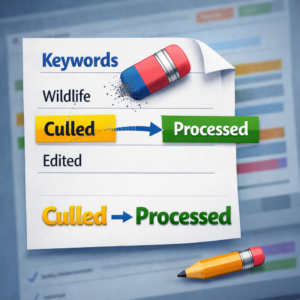
A graphic representing a category-based workflow in IMatch

Streamlining Your Workflow with IMatch Categories: A Step-by-Step Guide.

Are you looking for a way to track your files along your workflow using IMatch categories? In this article, we’ll show you how to setup a simple yet effective workflow using categories, assignment action, color-coding and favorites. Setting Up Workflow Categories To get started, switch to the Category View and create a new top-level category

Streamlining Your Workflow with IMatch Categories: A Step-by-Step Guide. Read More »

This image shows a "sea of images" in order to demonstrate the benefits of organizing images in a digital asset management (DAM) system like photools.com IMatch.

Mastering Digital Image Management: A Guide for Hobbyist Photographers Using a Digital Asset Management System on Windows

Mastering Digital Image Management: A Guide for Hobbyist Photographers Using a Digital Asset Management System on Windows As a hobbyist photographer, you probably find yourself amassing a growing collection of digital images. Organizing, editing, and managing these images can quickly become overwhelming. Enter Digital Asset Management (DAM) systems – a game-changer for photographers looking to

Mastering Digital Image Management: A Guide for Hobbyist Photographers Using a Digital Asset Management System on Windows Read More »