
digital asset management

An image showing colorful shipping containers in an orderly arrangement to represent the order a DAM software like IMatch creates in your image collection.

Why Photographers Benefit From a Locally Installed Digital Asset Management System for Windows

Why Photographers Benefit From a Locally Installed Digital Asset Management System on Windows In the modern world of photography, where thousands of high-resolution images are captured and edited every day, the need for a robust Digital Asset Management (DAM) system has never been more critical. Whether you’re a professional photographer working with clients or a […]

Why Photographers Benefit From a Locally Installed Digital Asset Management System for Windows Read More »

The File Window displaying multiple keywords per row.

Tune Your File Window Layouts

The File Window in IMatch can be customized in many ways using file window layouts. You have full control over whether you use a thumbnail or a tabular layout and over the data to be included for each file. This know-how article explains some tricks which you can use with custom templates in conjunction with

Tune Your File Window Layouts Read More »

Consolidating XMP Color Labels

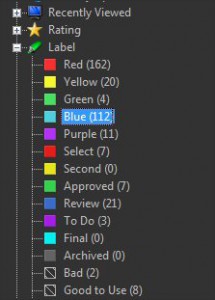
XMP Labels XMP metadata includes an optional field named label. A label is a text or tag you can assign to an image. Digital asset management systems with XMP support like IMatch use this label for various purposes. Common examples are labels like ‘Red’, ‘For Review’, ‘Für den Druck’ or similar. Most XMP-aware applications also

Consolidating XMP Color Labels Read More »